-
Step 1
Pin HideMail to your toolbar
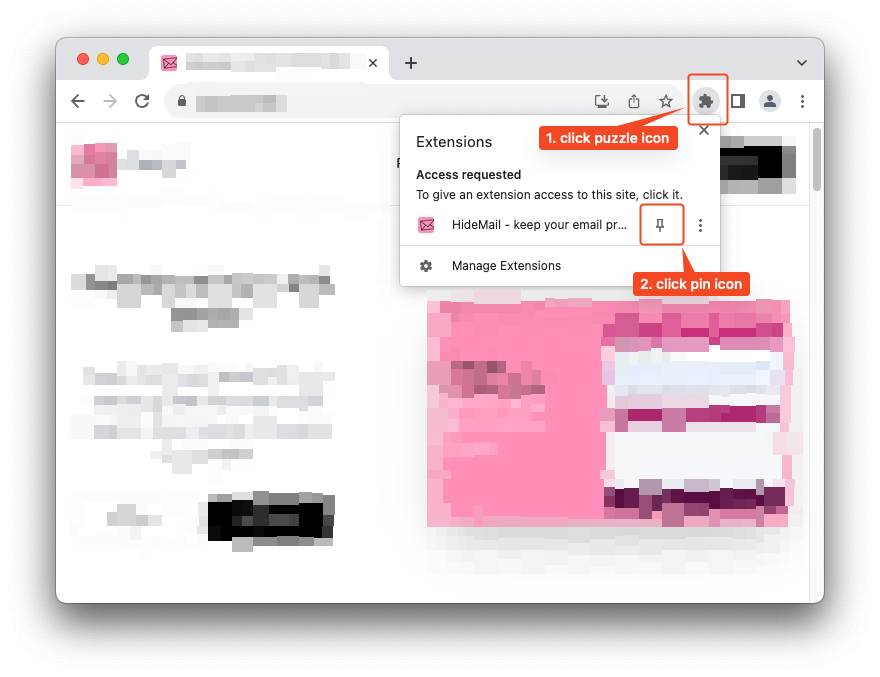
Click the puzzle icon at the top right of Chrome, then the pin next to HideMail. Now it’s one click away.
-
Step 2
Sign in
Open HideMail and sign in with your hidemail.app email and password, or paste an API token.

-
Step 3
Make an address on any sign-up page
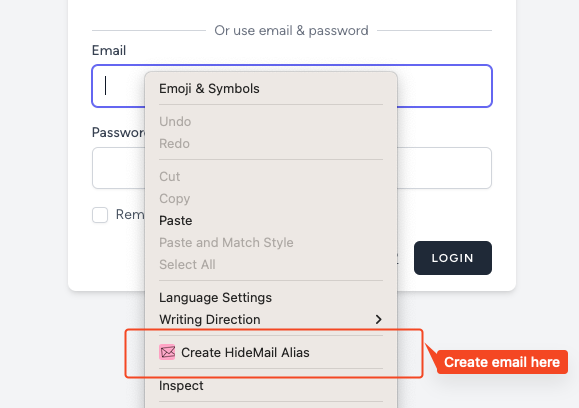
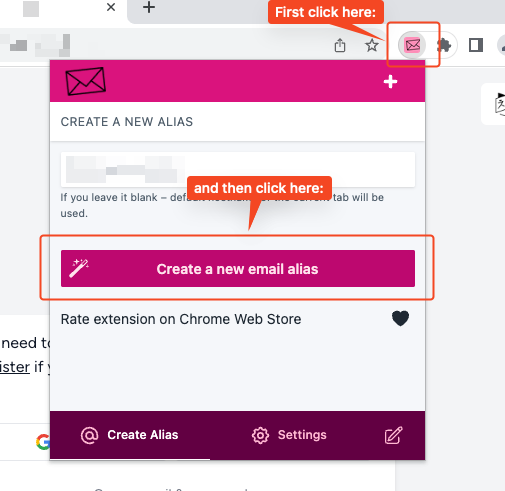
Open HideMail on the site and create an address, or right-click the email field.
 or
 HideMail
 is ready
Give every site its own private address. Mail still reaches your inbox, and you can turn an address off when it starts getting spam.
